Overview:
To see the overview of purchase order click on "Commerce" from the header menu then from the left menu items you can click on "Purchase order" section .
You can see some statistics on the page along with some data which is been process and completed. 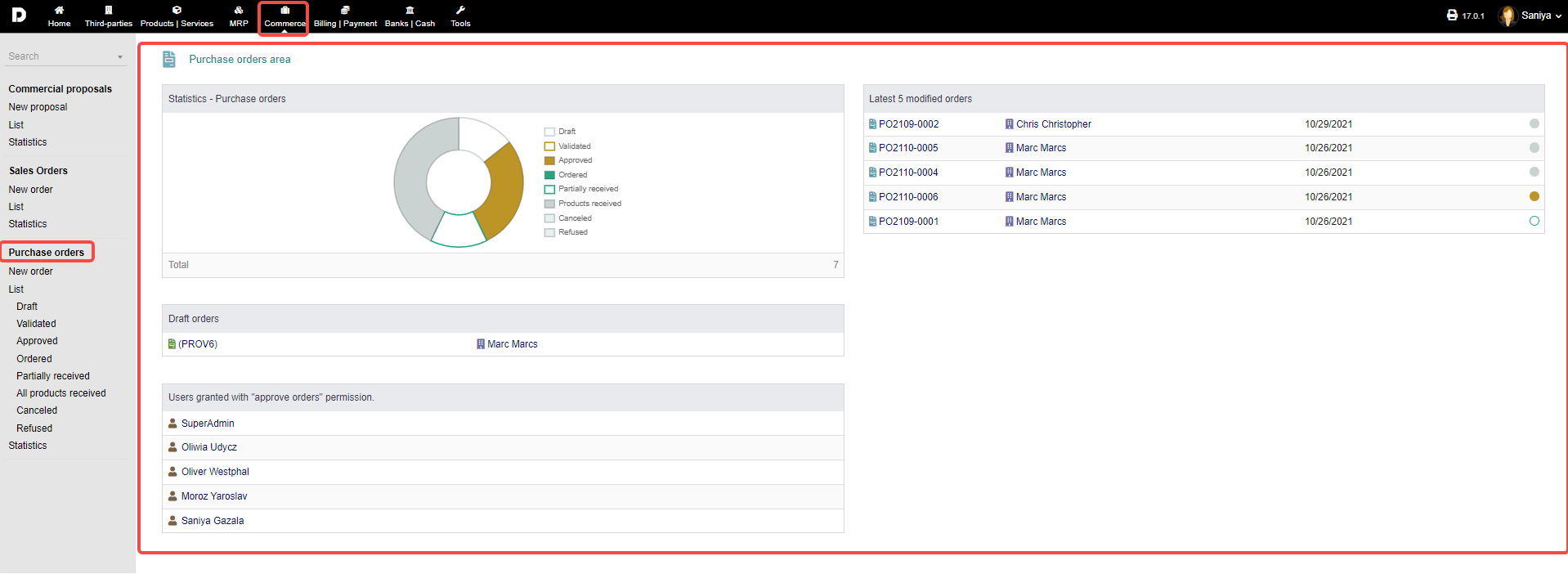
New order : To create a new order you can click on "Commerce -> Purchase order ->New order " from the left menu a page will appear which will allow you to create a order. See how to create an Purchase order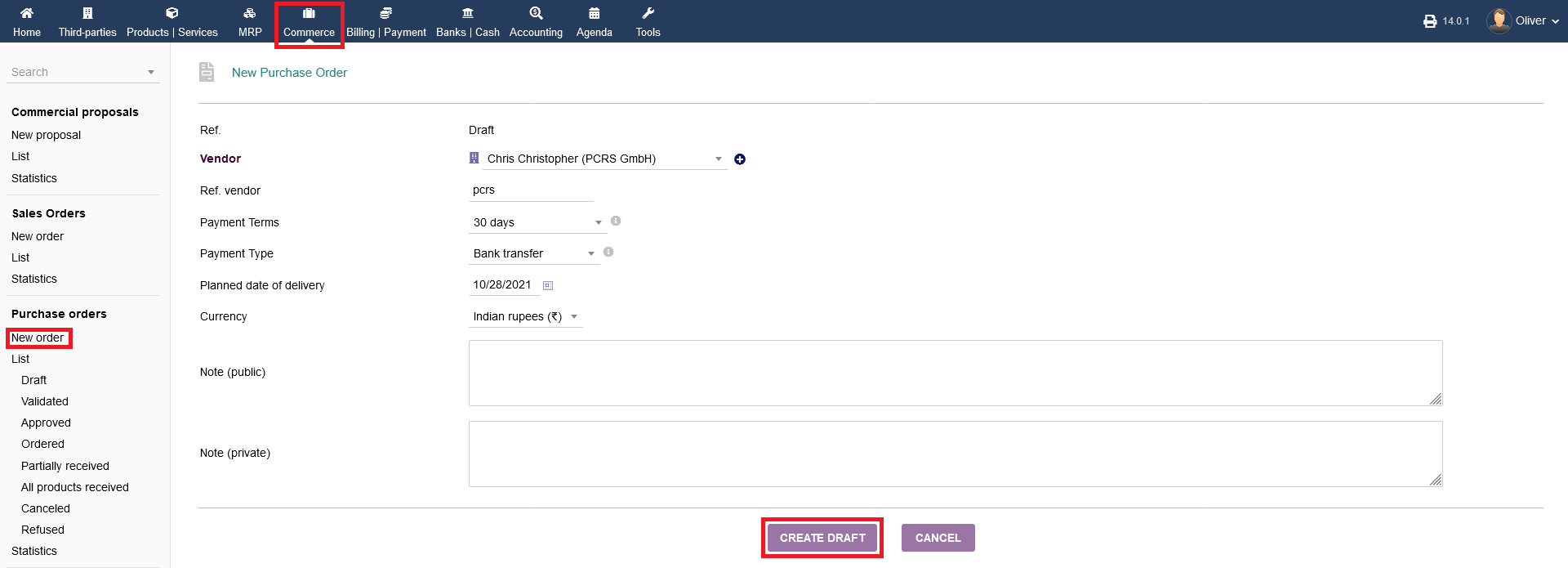
List : Click on "Commerce->Purchase order->List " to get the list of all order, disregarding their status. As shown below :
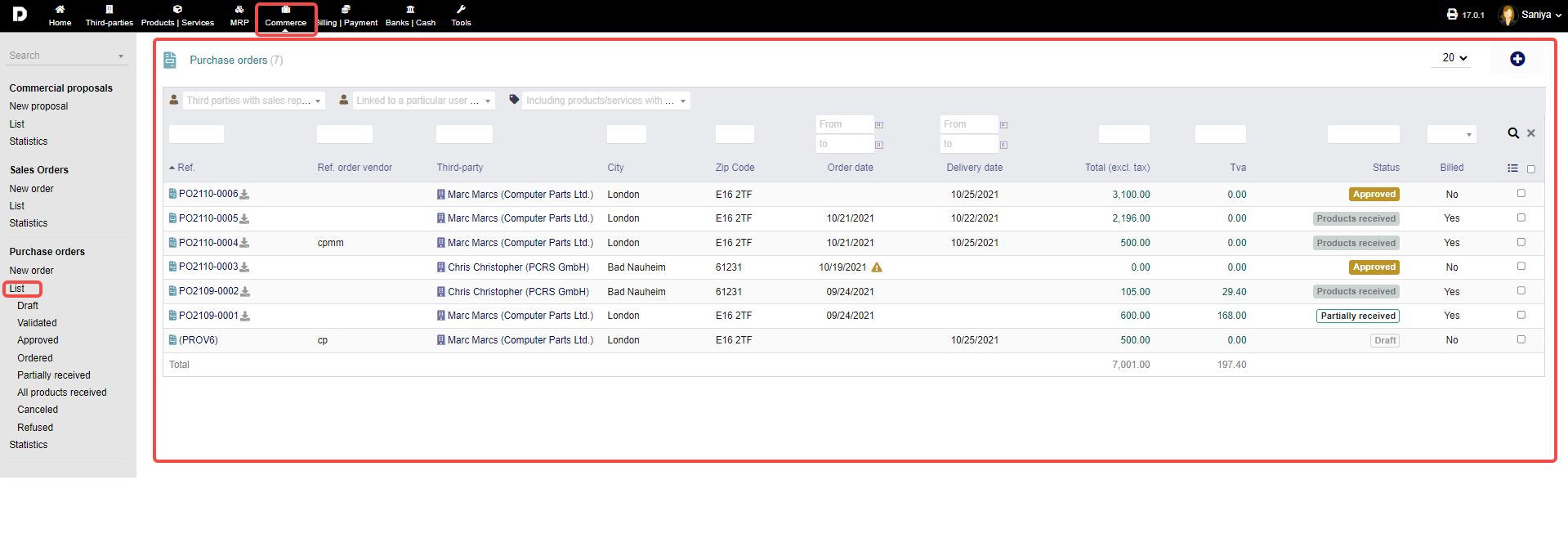
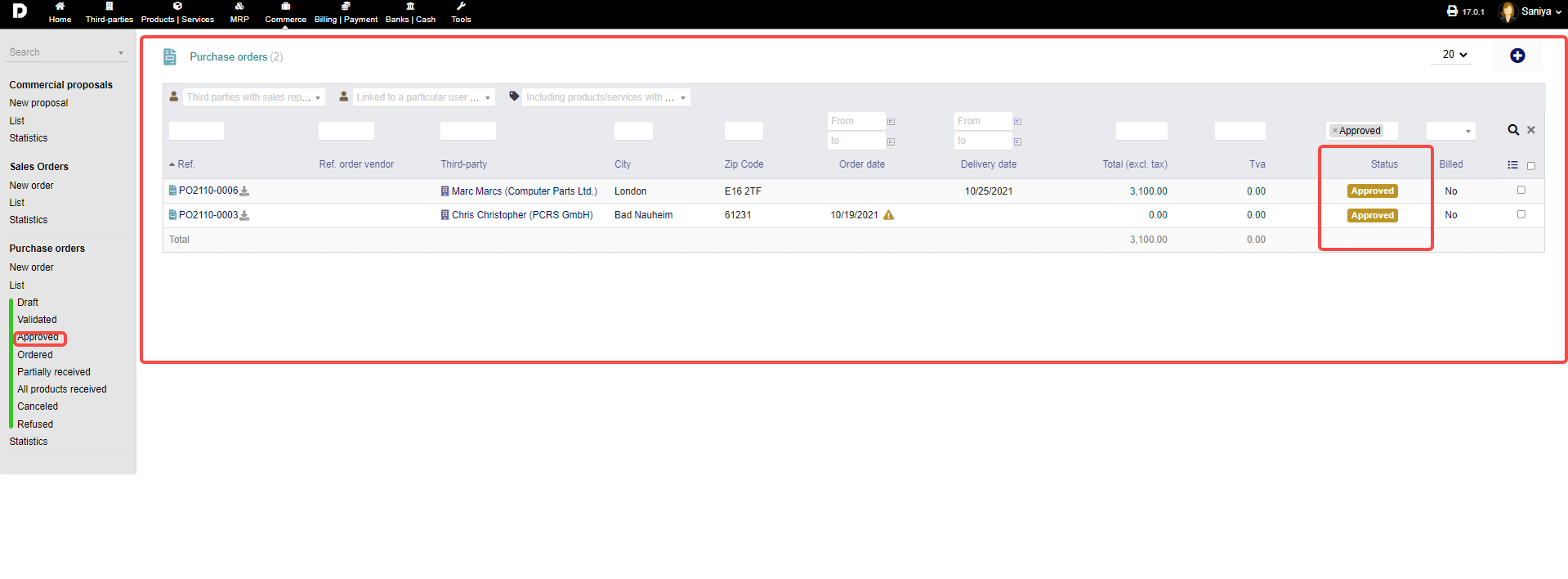
Additionally, you have separate listings as a sub-menu, sorted after status. by click each of the status mentioned from the menu the list is loaded as per the status selected.
eg: When click on "Approved" status all the purchase order which are approved are displayed . Based on status selected you can view then separately .
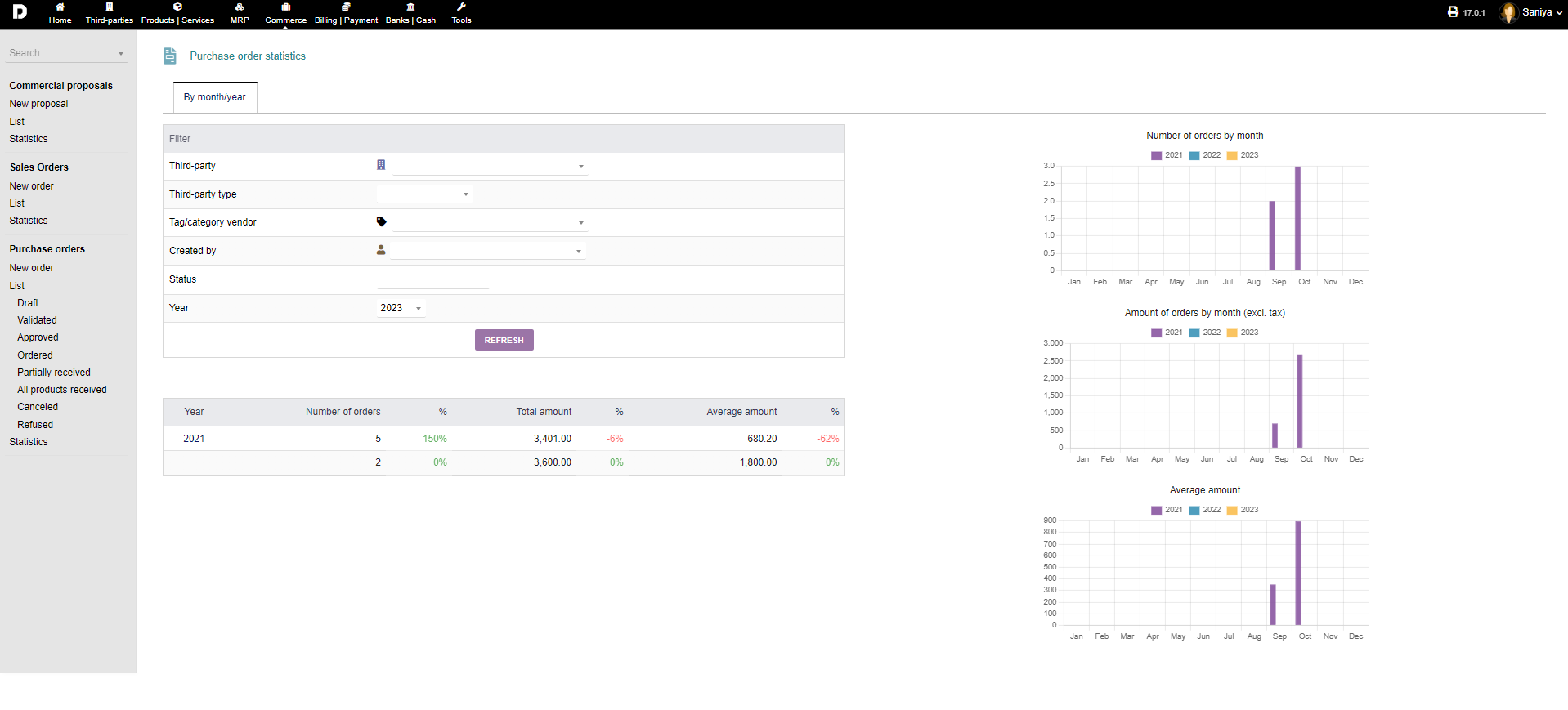
Statistics : Finally, detailed statistics can be had by clicking on "Commerce -> Purchase orders -> Statistics". Choose the respective parameters from the drop down menus to your liking and click "REFRESH".