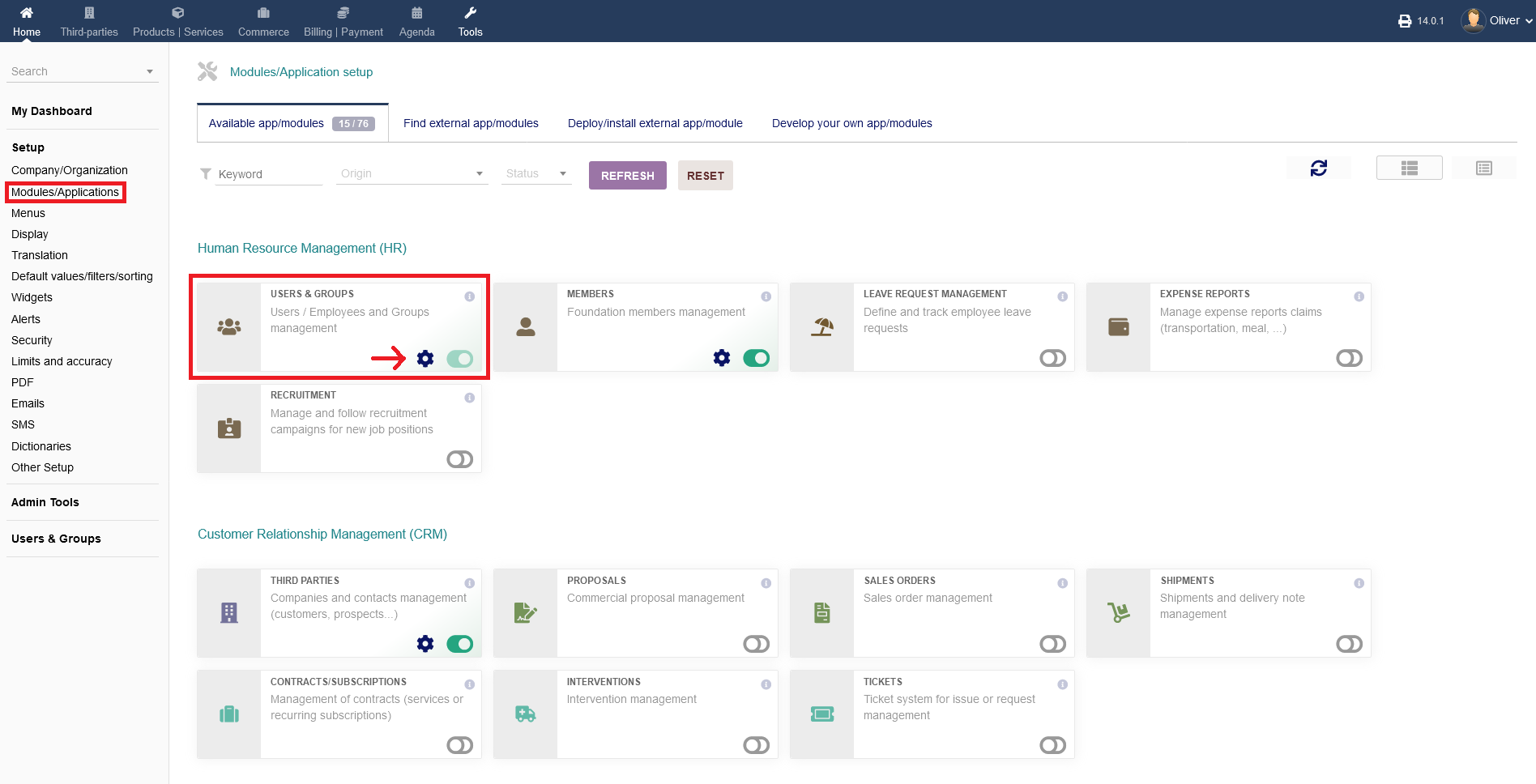
To change any settings regarding users & groups on a module level (NOT the same as the main menu option), go to "Setup -> Modules/Applications -> Human Resource Management (HR) -> Users & Groups" and click on the "gear" icon.
You can activate/disable that module by clicking on the button on the right hand side of the gear icon. Green indicates, that the module is active.
1.1 Parameters
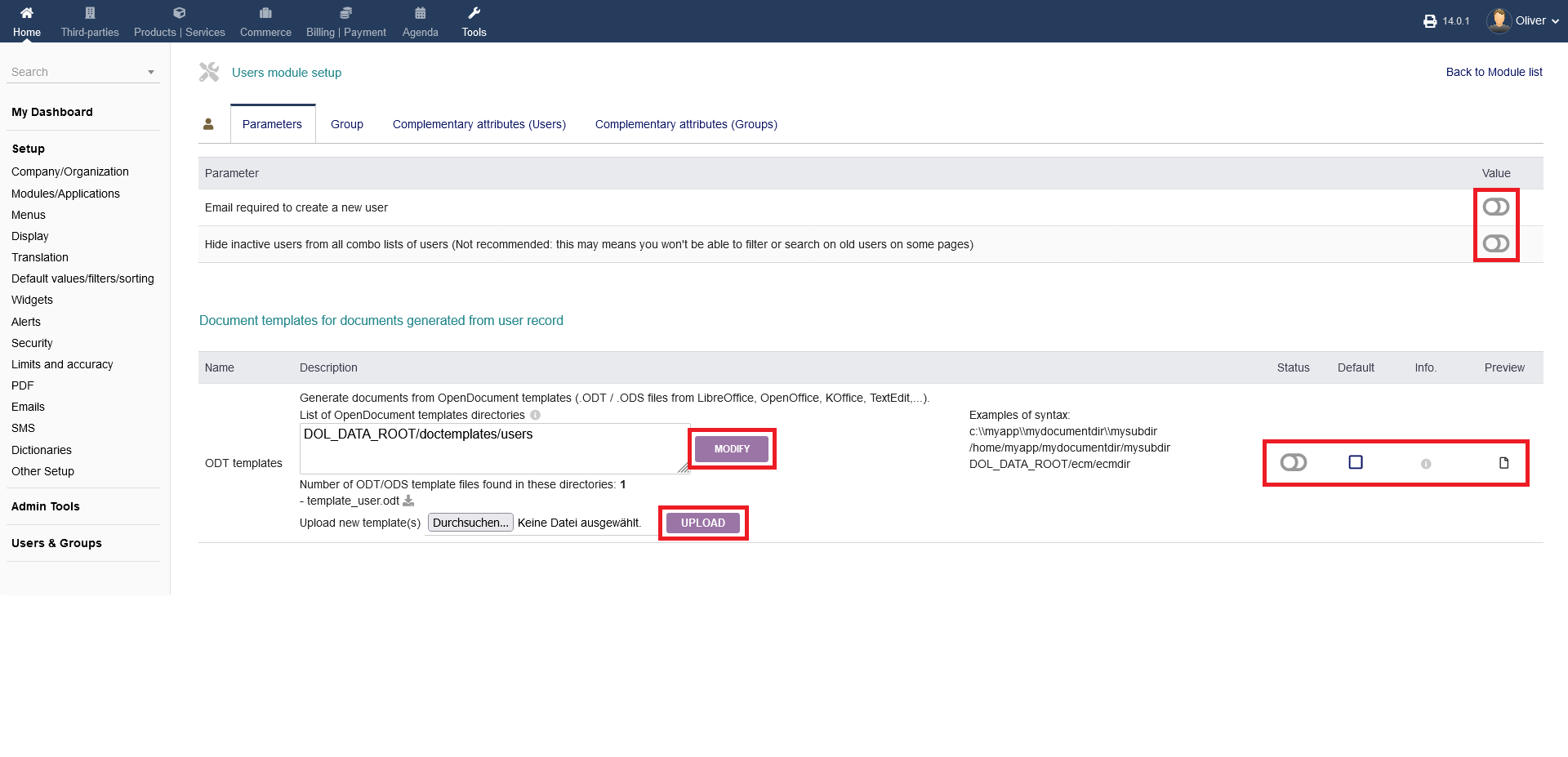
You can change general parameters under "Parameters".
The options are, that an "email is required to create a new user" and "to hide inactive users from all combo lists of users". To activate/disbale each option, hit the radio button on the right hand side under the heading "Value".
Additionally, you can change the settings regarding documents templates, that are getting created by users. You can enable/disable, set as default or preview your settings on the right hand side.
To change your ODT settings, click "MODIFY".
To upload new templates, click "UPLOAD" after selecting the template from your computer.
1.2 Group
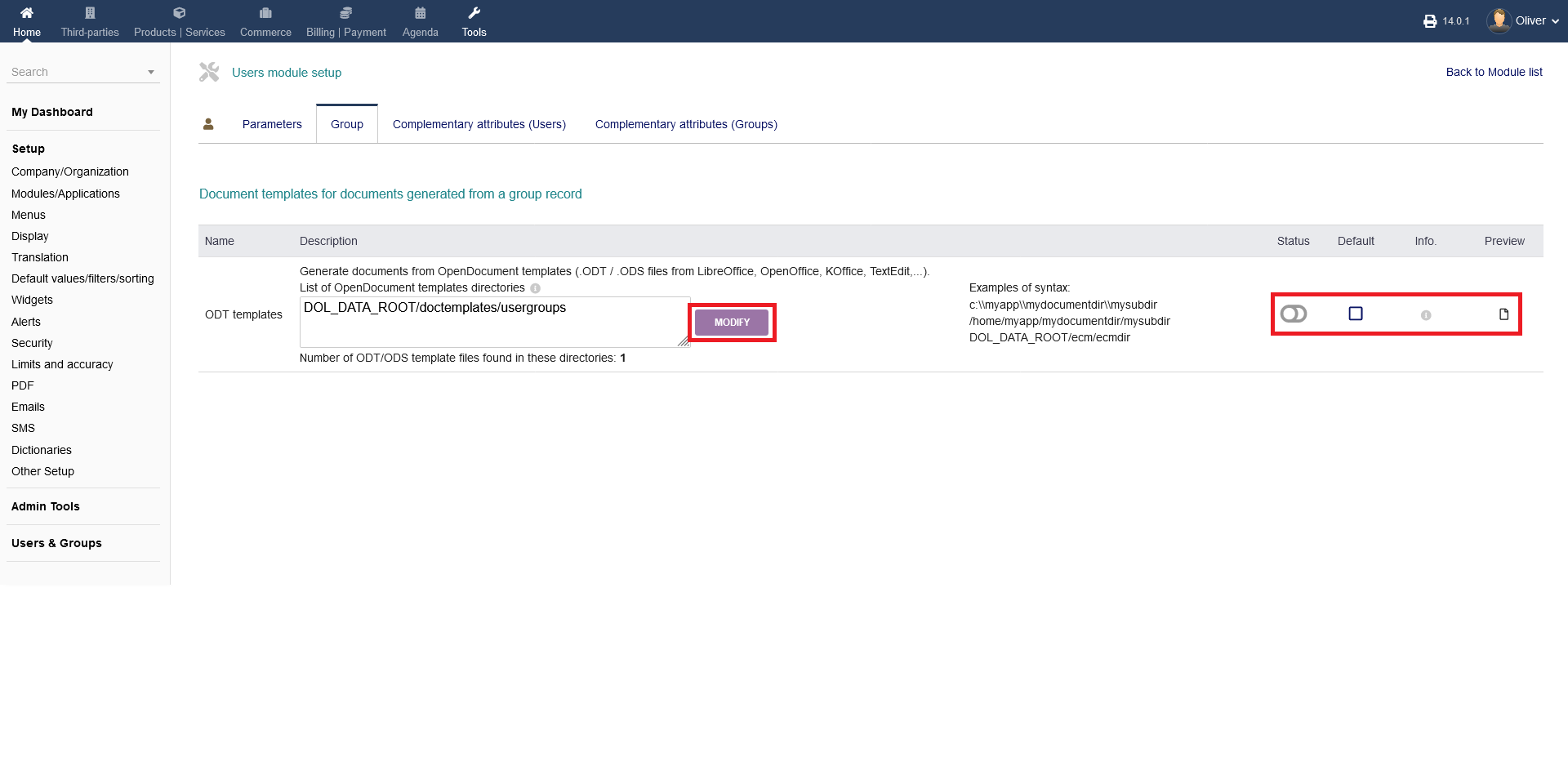
Under "Group" you can change settings regarding document templates for documents generated from a group record. It follows mostly the same process like the step before.
1.3 Complementary attributes (Users)
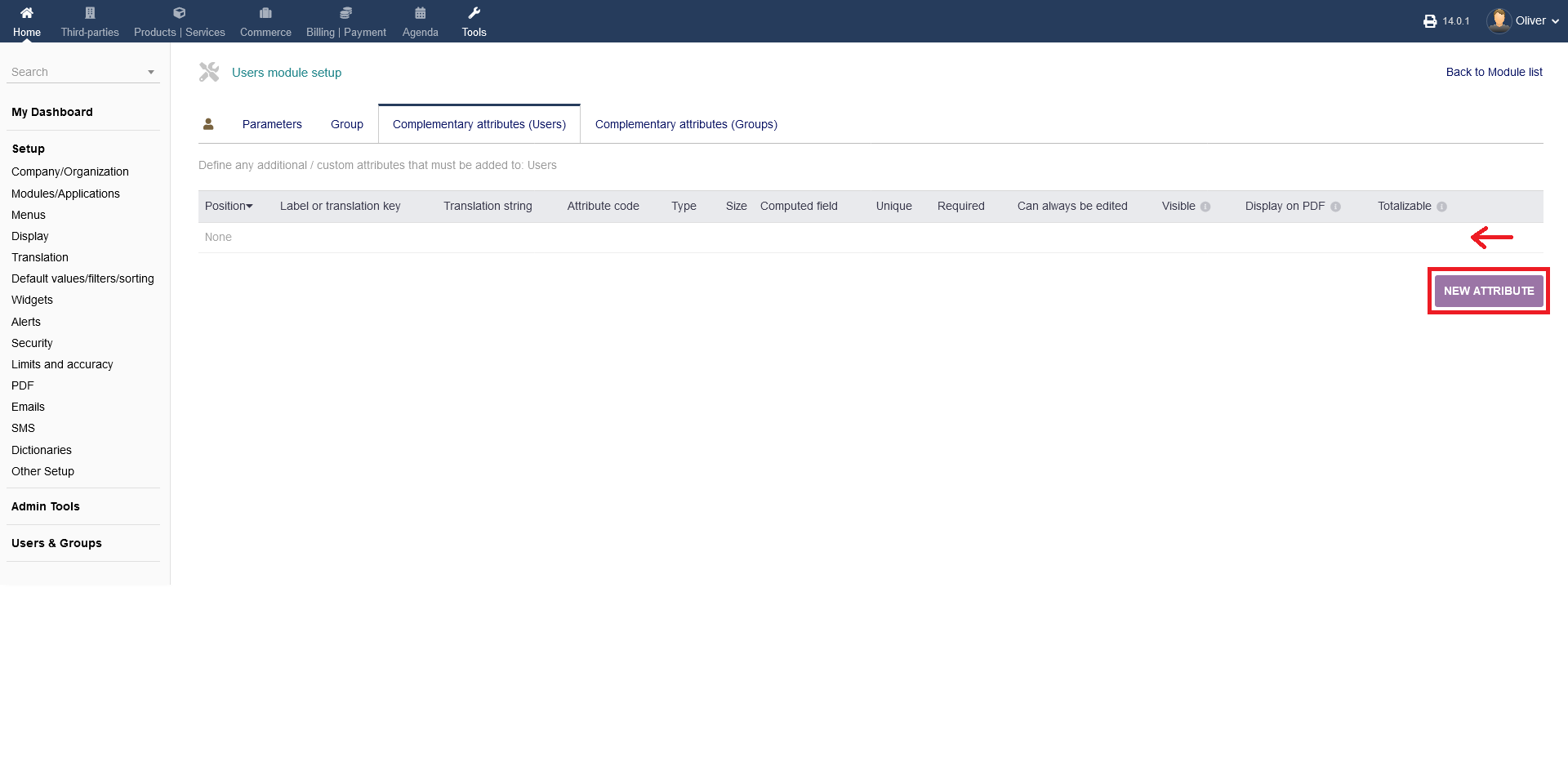
Under "Complementary attributes (Users)", you can define any additional or custom attributes that must be added to "Users". You will see a listing of attributes.
To add a new/custom attribute, click "NEW ATTRIBUTE".
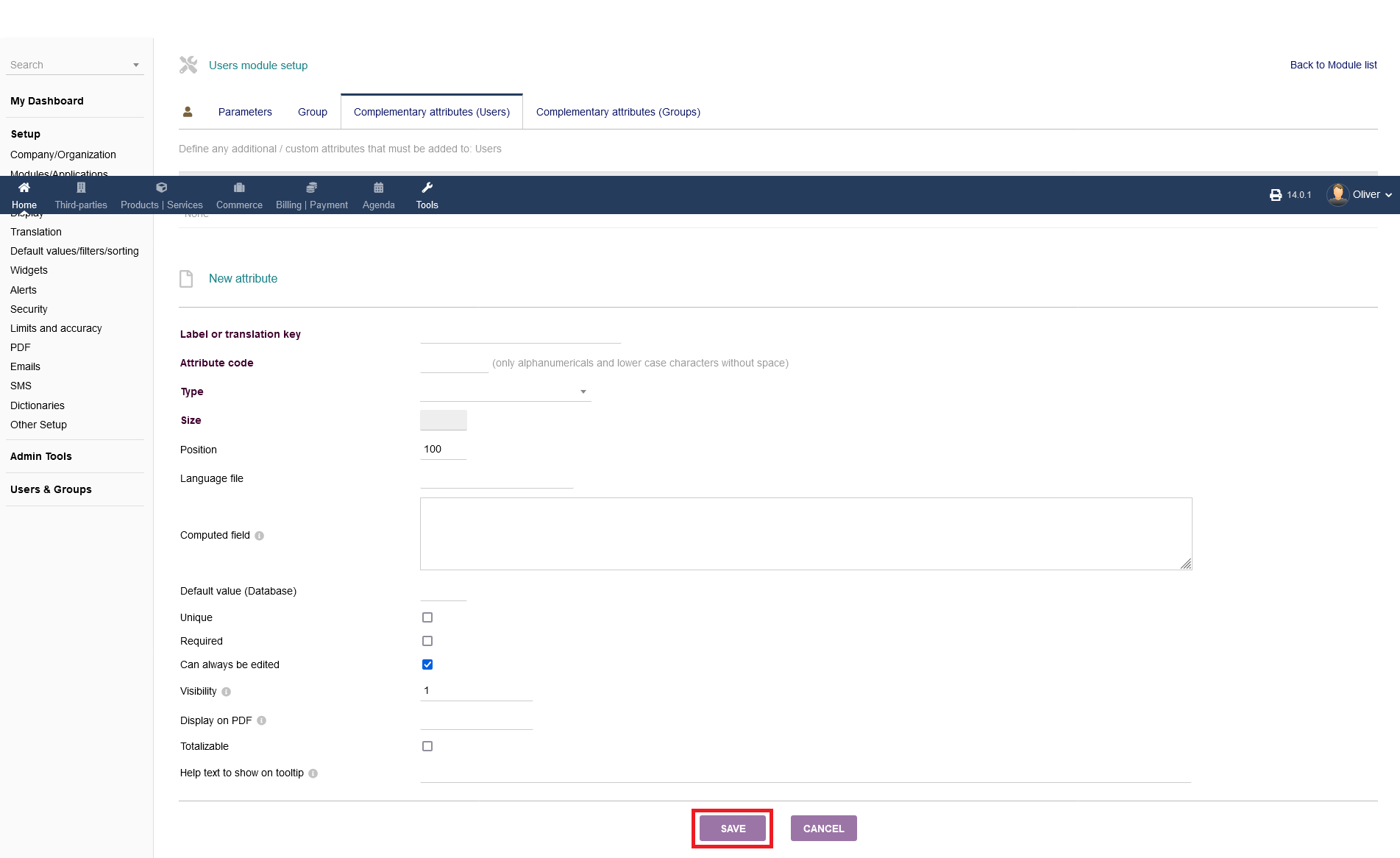
After clicking on "NEW ATTRIBUTE", you will be greeted by a form to fill out all necessary fields required to add a new attribute. You can enter a formula using other properties of object or any PHP coding to get a dynamic computed value. You can use any PHP compatible formulas e.g. $db, $conf, $langs, $mysoc, $user, $object under "Computed field".
When you are done, click "SAVE".
1.4 Complementary attributes (Groups)
You can do the same on a groups level what you can do on a users level, that is explained above. The procedure is the same. Please refer to the steps above.