Overview:
As usual, you have two different options to get an overview of your proposals.
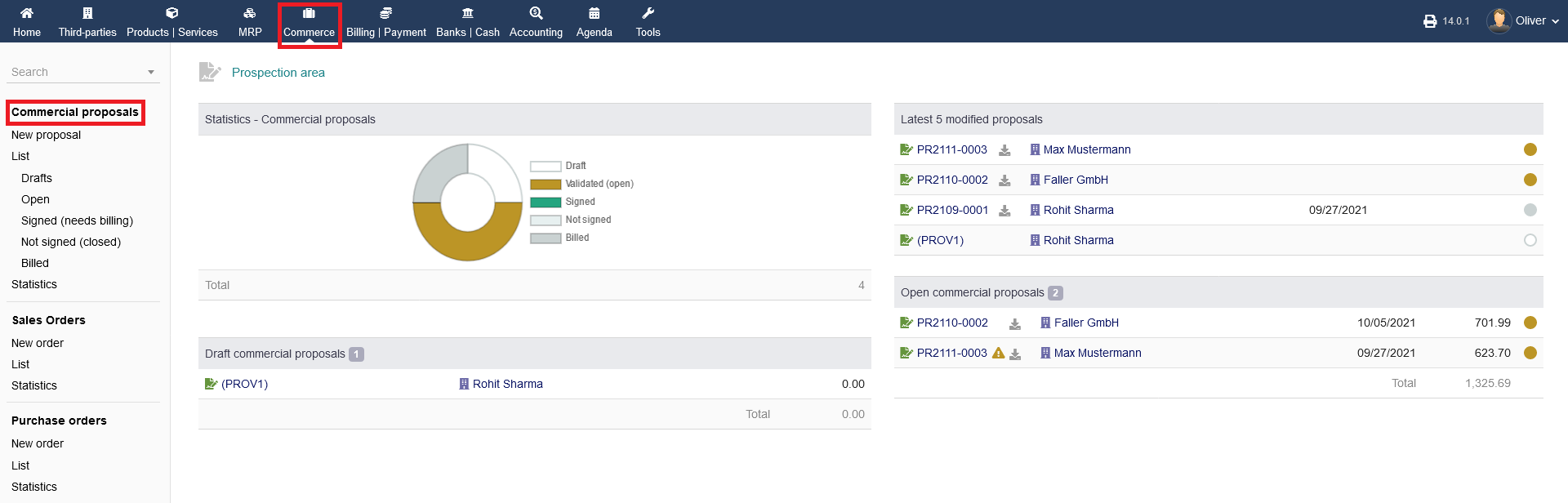
To see the overview of sales order click on "Commerce" from the header menu then from the left menu items you can click on " Commercial proposals " section to get a general birds eye view with some statistics.
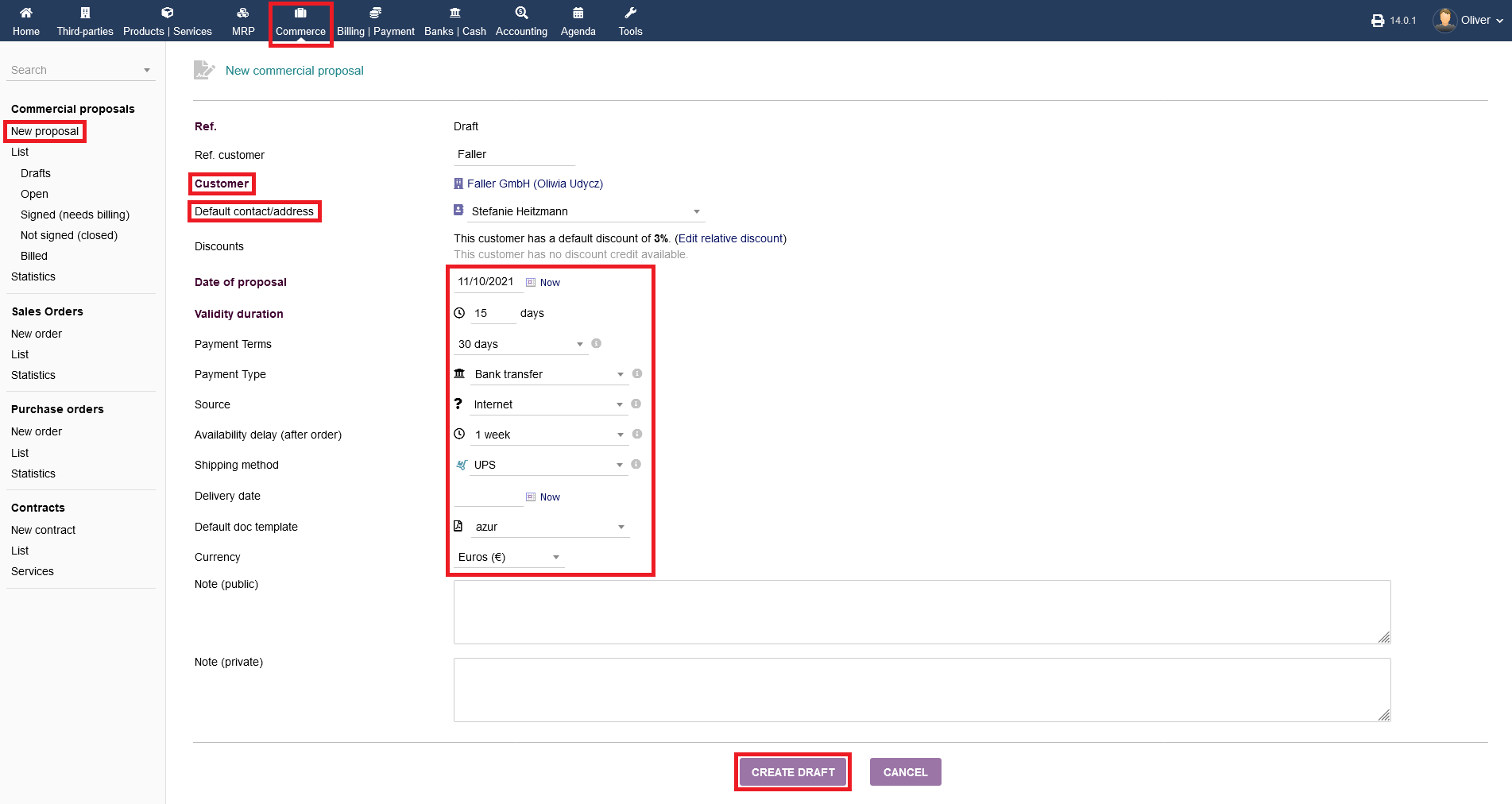
New Proposal : To create a new proposal you can click on "Commerce->Commercial proposal->New proposal" from the left menu . A page will appear which will allow you to create a "New Proposal" . follow this article to know how to create a "New Proposal" .
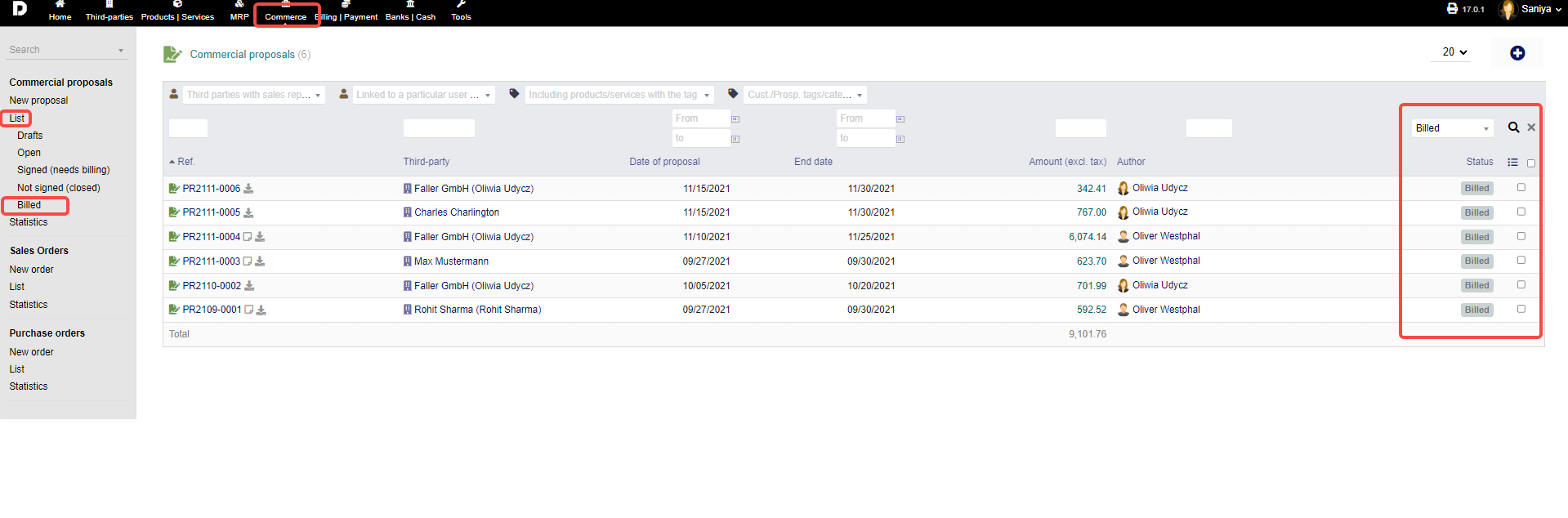
List : Click on "Commerce -> Commercial proposals -> List" to get a list of all proposals disregarding their status. As shown in the image below:
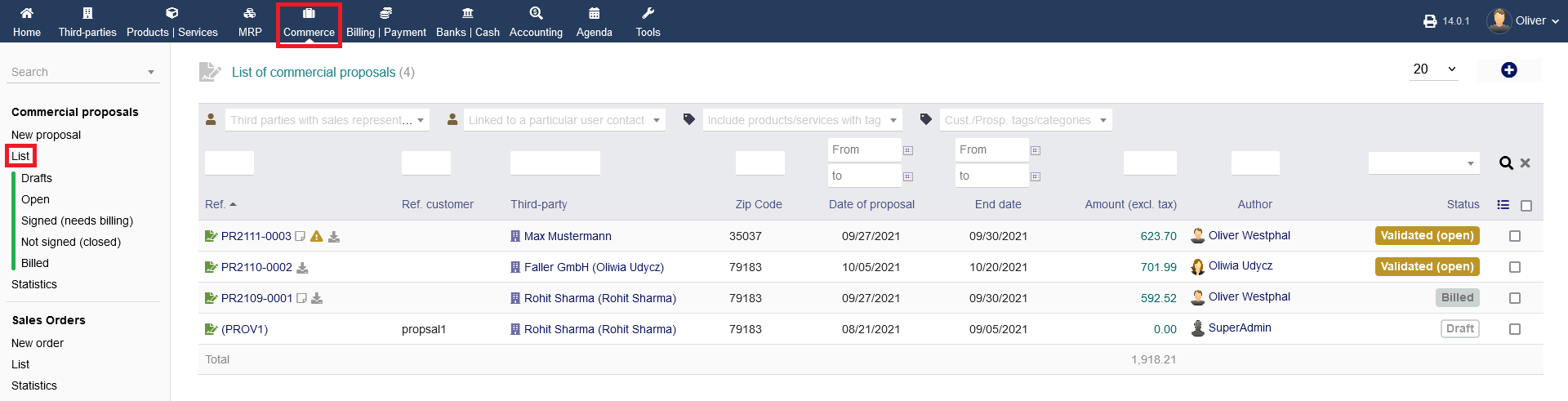
Additionally, you have separate listings as a sub-menu, sorted after status. by click each of the status mentioned from the menu the list is loaded as per the status selected.
eg: When click on "Billed" status all the orders which are Billed are displayed . Based on status selected you can view then separately .
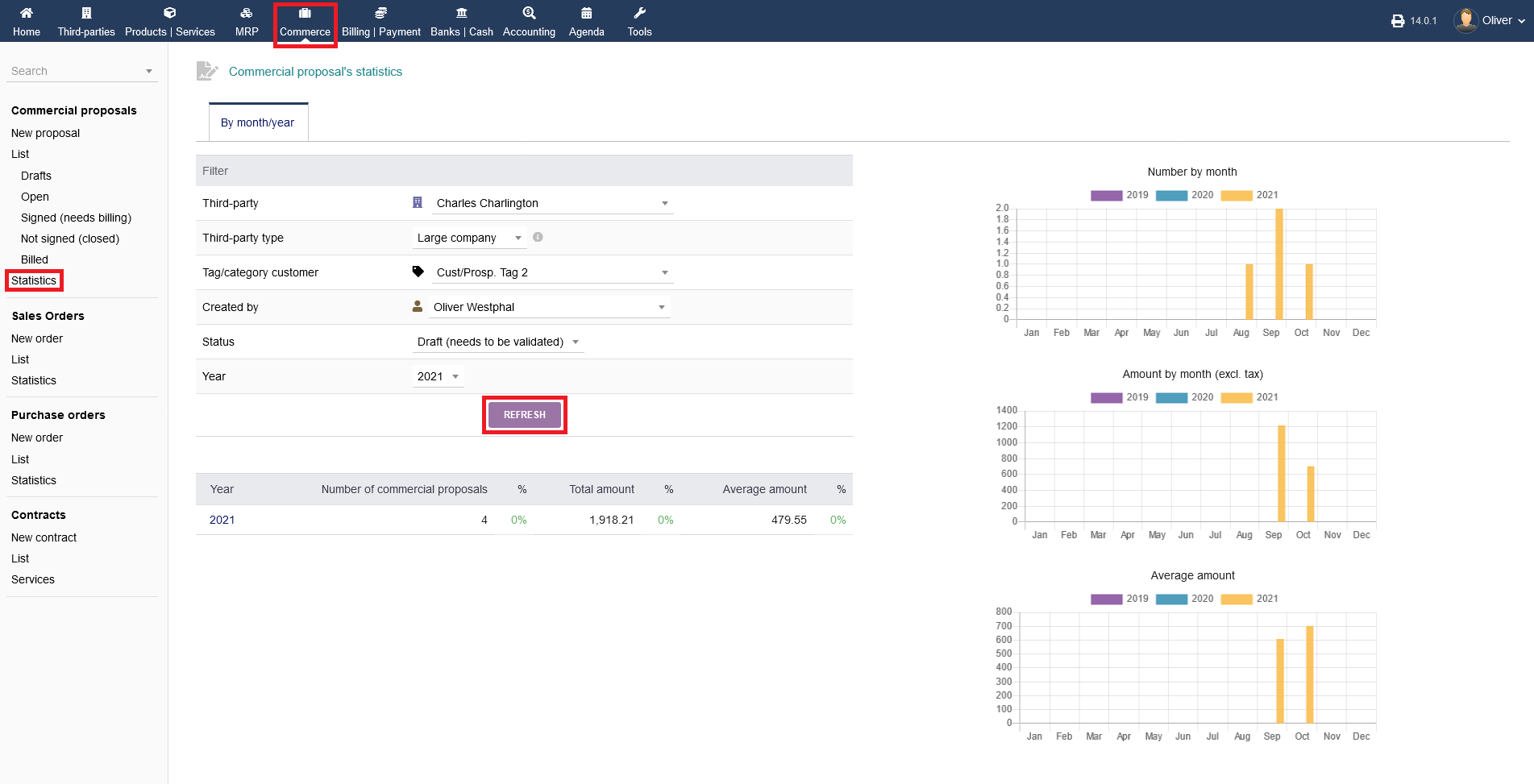
Statistics : Finally, detailed statistics can be had by clicking on "Commerce -> Commercial proposals -> Statistics". Choose the respective parameters from the drop down menus to your liking and click "REFRESH".