Create Commercial proposal:
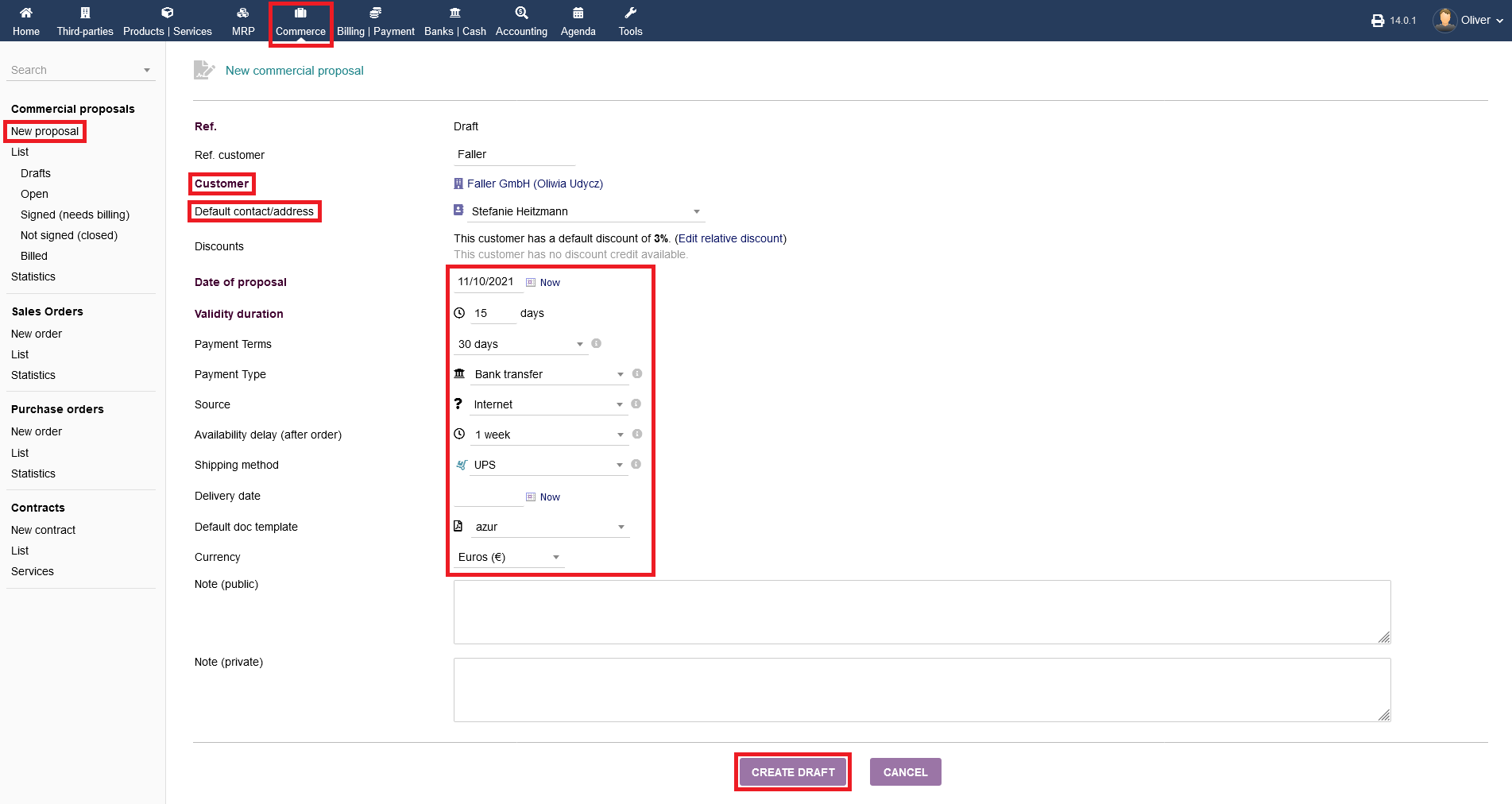
To create a proposal click on "Commerce -> Commercial proposals -> New proposal". Fill out all necessary details, especially the third party and the contact, as well as payment details, shipping details, currency etc. Click on "CREATE DRAFT" to create the initial draft.
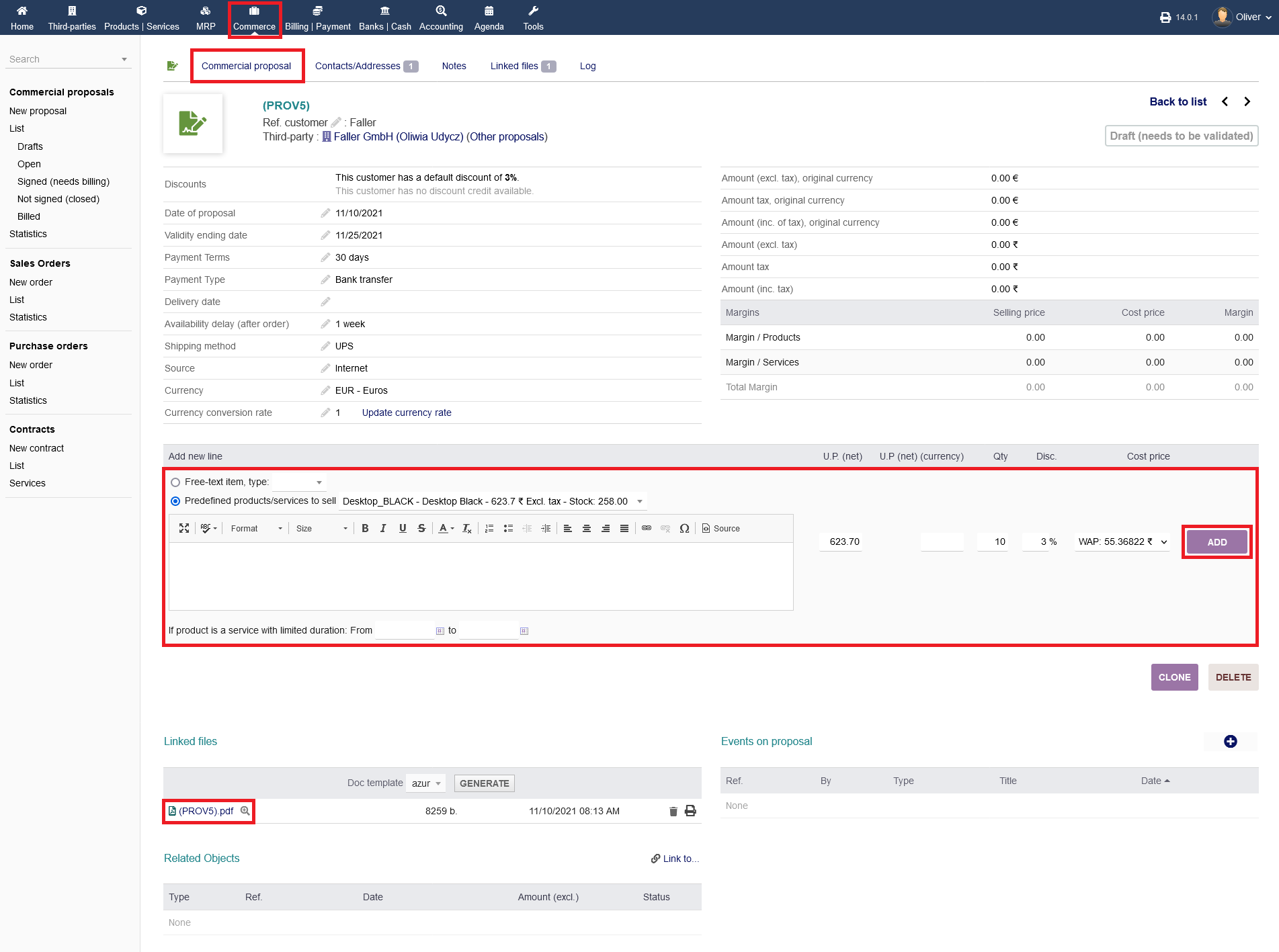
In the next screen, define a product you are selling to the third party (customer) by specifying it as a free text entry or from your predefined products drop down menu. Click "ADD" to create the product entry.
Validate Commercial proposal :
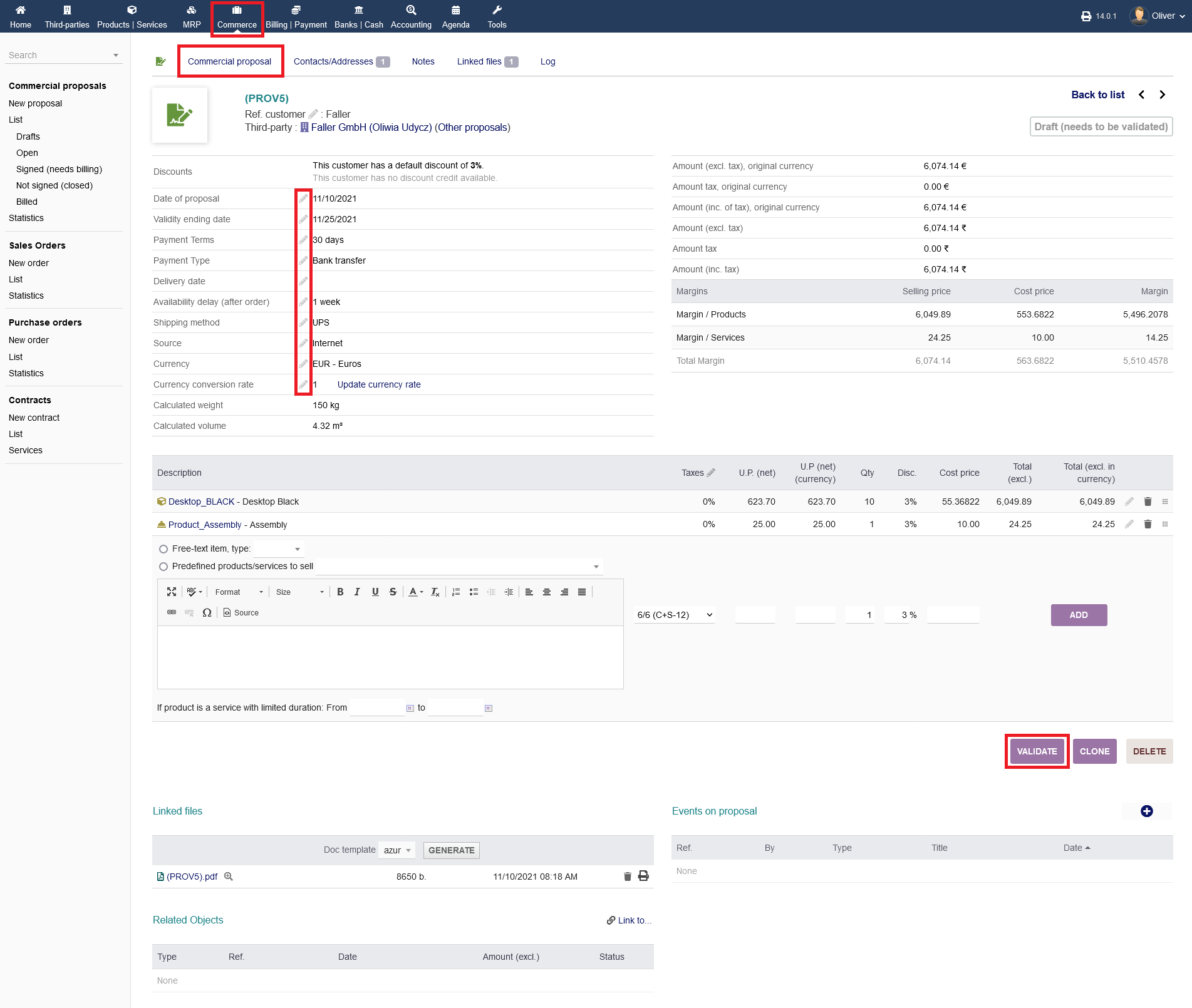
After you have setup all necessary products or services, the draft needs to be validated. Before confirming the commercial proposal, you have still the option to change any details, by clicking the "pen" icon. To confirm the drafted proposal, click on "VALIDATE".
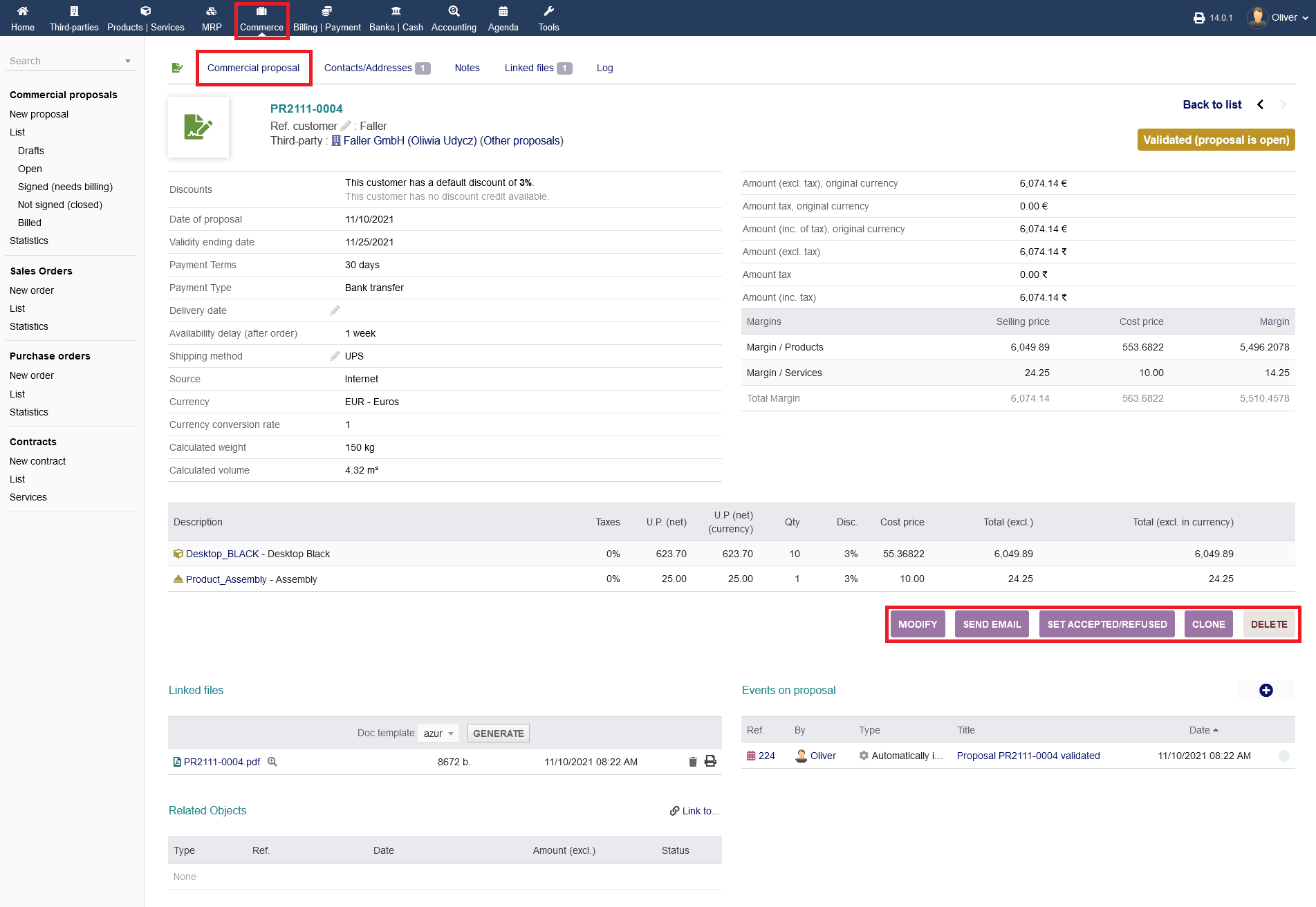
After validating, the proposals status is "Open". That means it is up to you, to get in touch with your customer now. You can contact the customer with the attached proposal PDF via E-Mail, clicking on "SEND MAIL". Your customer is going to accept or refuse your proposal. To enter the outcome of your business contact, click on "SET ACCEPTED/REFUSED". To edit the proposal click on "MODIFY". Do clone or delete your proposal, click on the respective buttons.
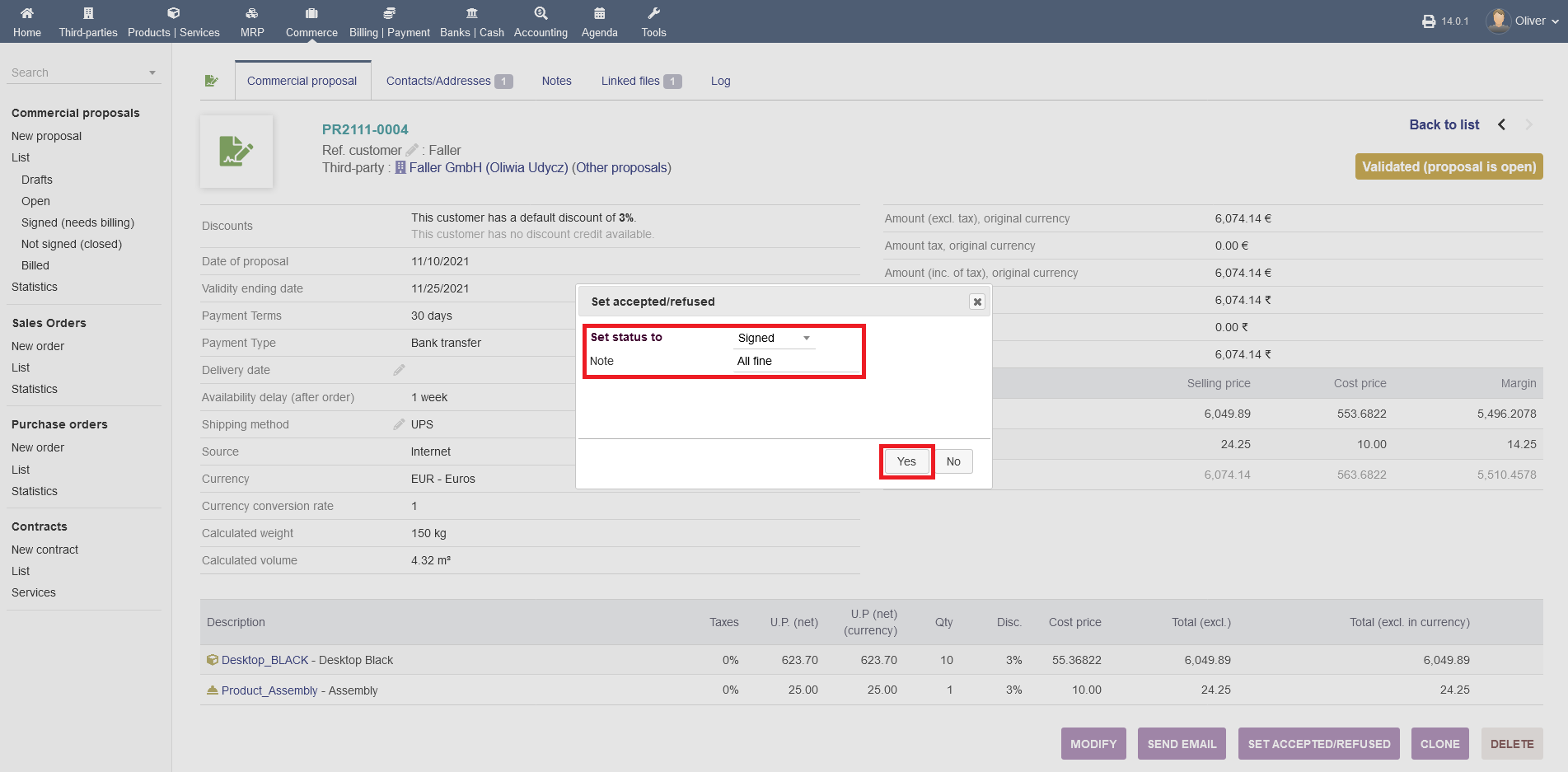
After clicking on "SET ACCEPTED/REFUSED", specify "Signed" or "Not signed" from the drop down menu in the pop-up screen. Click "YES" in the end. Optionally, you can add a comment too.
Closing Commercial proposal:
In the following, the status will change to "Signed (needs billing)". From here onwards, you need to get into the invoicing process. Please refer to the respective documentation that covers invoicing. The other options (as marked) are the usual option as seen in multiple times before. Same goes for the menu tab options on the top of the proposal card.
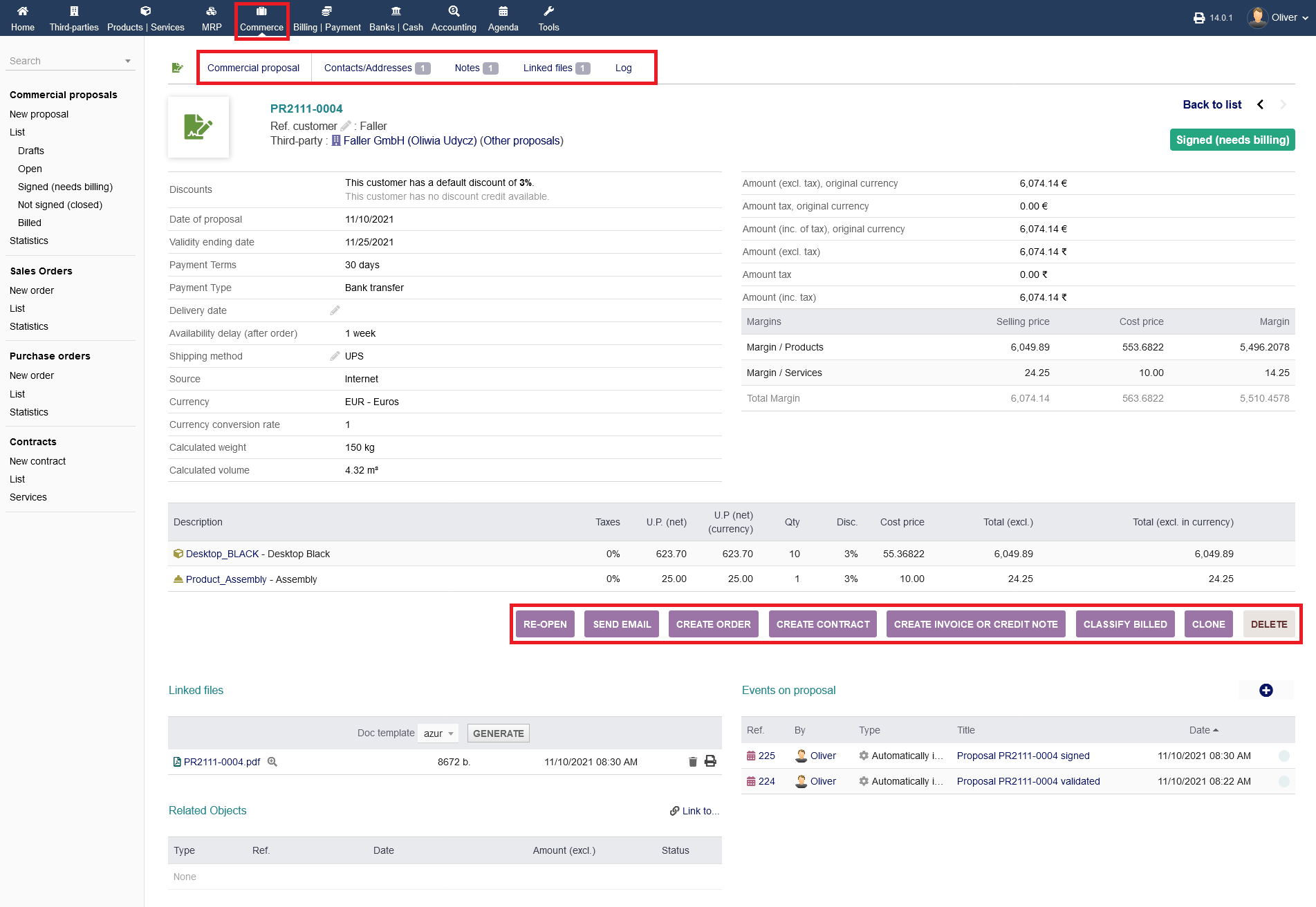
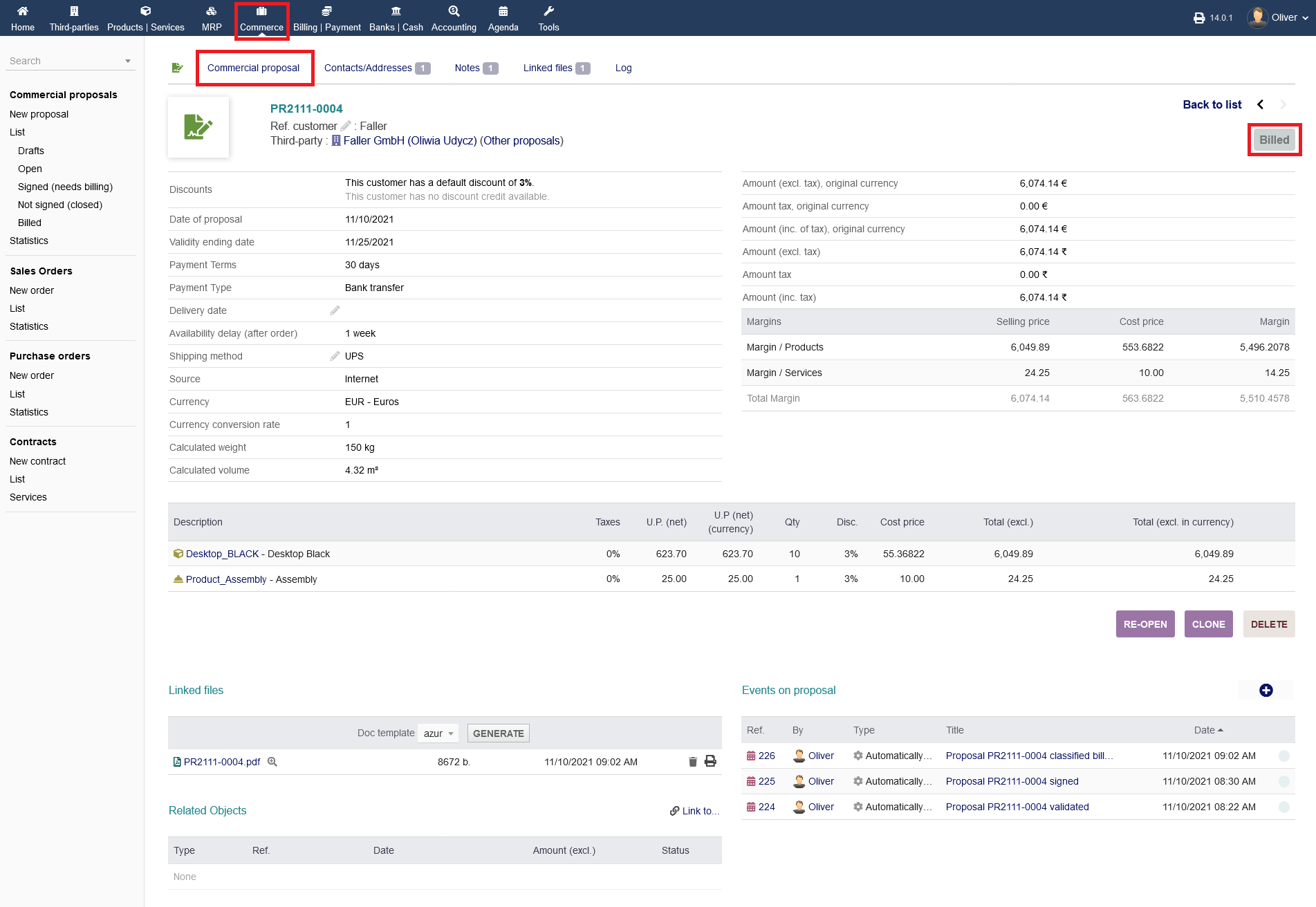
After you completed the invoicing process, you can set this business transaction as being billed by clicking on "CLASSIFY BILLED" (see screenshot above). The status will show "Billed". With that action, your proposal process is done.